How Small Businesses Should Track Invoices Effectively
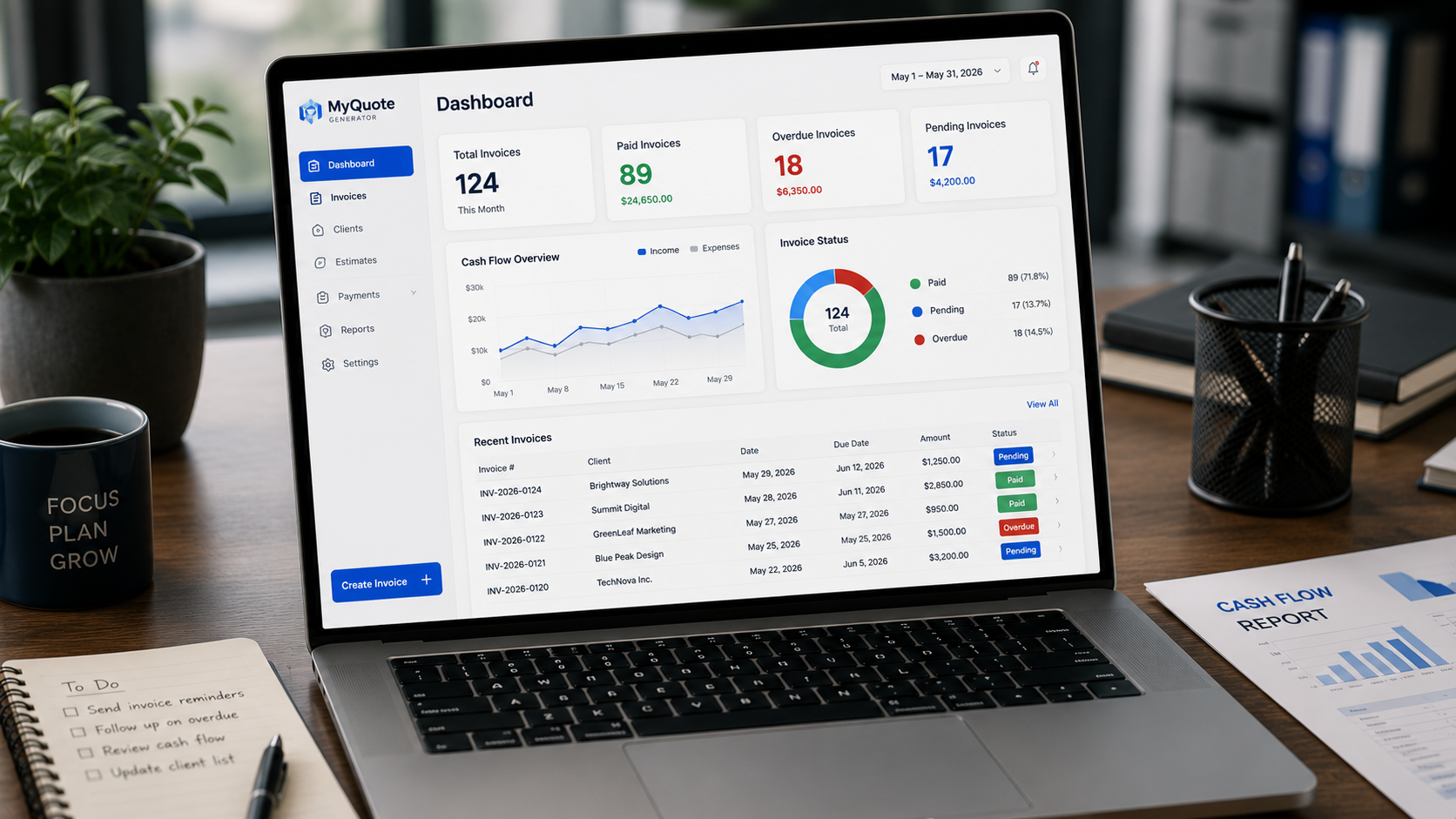
Creating invoices is only half the process. To maintain healthy cash flow, businesses must also track invoices and monitor payments.
Without a proper tracking system, invoices can be forgotten, payments can be delayed, and financial reporting becomes more difficult.
If you want to streamline billing, using an invoice generator can help create professional invoices quickly.
This guide explains how small businesses can track invoices effectively and stay on top of their accounts receivable.
Why Invoice Tracking Matters
Invoice tracking helps businesses:
- Monitor outstanding payments
- Identify overdue invoices
- Improve cash flow
- Reduce administrative errors
- Forecast future income
Even a few unpaid invoices can significantly impact a small business.
What Information Should You Track?
For every invoice, record:
- Invoice number
- Client name
- Invoice date
- Due date
- Amount due
- Payment status
This creates a clear overview of your receivables.
Common Invoice Statuses
Most businesses use simple statuses:
Draft
Invoice has been created but not sent.
Sent
Invoice has been delivered to the client.
Viewed
Client has received or opened the invoice.
Paid
Payment has been received.
Overdue
Payment remains outstanding after the due date.
These statuses help prioritize follow-up actions.
Create an Invoice Tracking System
Spreadsheet Method
Many small businesses start with a spreadsheet.
Typical columns include:
- Invoice Number
- Customer
- Date Sent
- Due Date
- Amount
- Status
This works well for businesses with relatively low invoice volumes.
Invoice Software Method
As invoice volume grows, dedicated invoice software becomes more efficient.
Benefits include:
- Automatic status updates
- Payment tracking
- Reminder emails
- Searchable records
- Reporting dashboards
Review Outstanding Invoices Weekly
A weekly review can prevent overdue balances from growing.
Check:
- Newly issued invoices
- Upcoming due dates
- Overdue invoices
- Recently paid invoices
Consistency is more important than complexity.
Use Payment Reminders
Many businesses recover payments simply by sending reminders before invoices become overdue.
A common schedule:
- 7 days before due date
- Due date
- 7 days overdue
- 14 days overdue
Timely reminders improve collection rates.
Monitor Key Metrics
Average Payment Time
How long does it take clients to pay?
Total Outstanding Invoices
How much money is currently owed?
Overdue Invoice Value
How much is overdue right now?
Tracking these numbers helps improve cash flow planning.
Common Invoice Tracking Mistakes
No Tracking System
Invoices are sent but never monitored.
Manual Follow-Up Only
Without reminders, overdue invoices are more likely.
Inconsistent Record Keeping
Missing information makes tracking difficult.
Waiting Too Long to Follow Up
The longer an invoice remains unpaid, the harder it often becomes to collect.
Best Practices
- Use consistent invoice numbering
- Track due dates carefully
- Review invoices weekly
- Send reminders automatically
- Follow up promptly
- Keep payment records organized
These habits can dramatically improve cash flow over time.
Final Thoughts
Invoice tracking is one of the simplest ways to improve financial management. By monitoring payment status, following up on overdue accounts, and maintaining accurate records, small businesses can reduce payment delays and gain better visibility into their finances.
Need an easier way to create and manage invoices? Use MyQuoteGenerator's free invoice generator to create professional invoices and keep your billing organized.
Create professional invoices in seconds
Free invoice generator — no sign-up required
Create Free Invoice →