How to Create an Invoice for Services (Step-by-Step Guide)
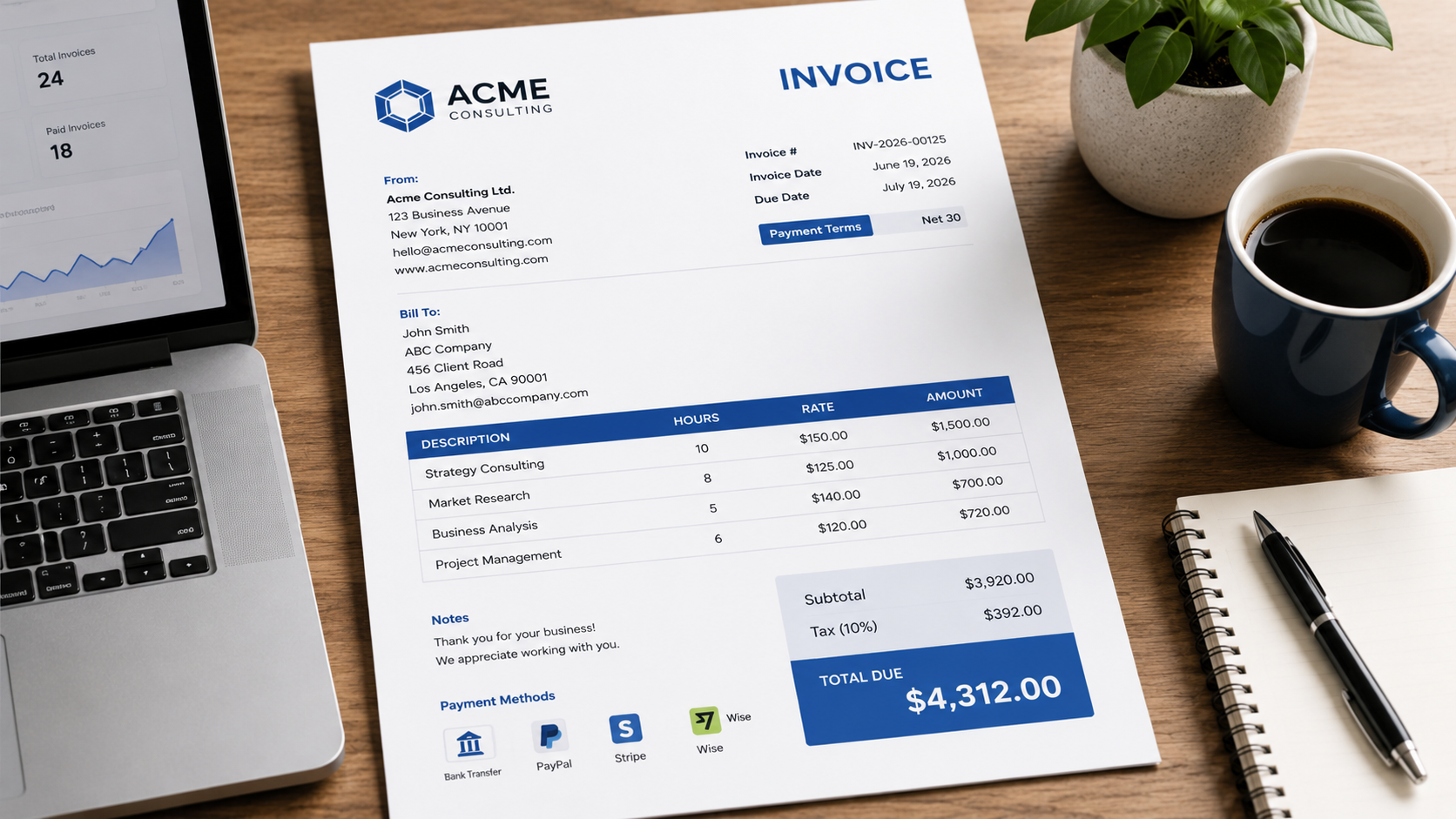
Whether you're a freelancer, consultant, agency, contractor, or service provider, sending professional invoices is one of the most important parts of running a business.
To improve your invoicing workflow, an free invoice generator makes it easy to generate professional documents.
A well-designed invoice helps clients understand exactly what they're paying for, reduces confusion, and increases the likelihood of getting paid on time.
In this guide, we'll walk through how to create an invoice for services step by step.
What Is a Service Invoice?
A service invoice is a document used to bill clients for work performed rather than physical products sold.
Examples include:
- Consulting services
- Marketing services
- Design work
- Software development
- Legal services
- Accounting services
- Home repair services
- Cleaning services
A service invoice provides a clear record of work completed and payment expected.
Information Every Service Invoice Should Include
1. Business Information
Include your:
- Business name
- Address
- Phone number
- Email address
- Website (if applicable)
This helps clients identify who issued the invoice.
2. Client Information
Include:
- Client name
- Company name
- Address
- Contact details
Accurate client information reduces billing disputes.
3. Invoice Number
Each invoice should have a unique invoice number.
For example:
INV-2026-001
Sequential invoice numbering makes tracking and accounting much easier.
For guidance, read our article on How to Number Invoices Correctly.
4. Invoice Date
Clearly display when the invoice was issued.
Example:
Invoice Date: June 19, 2026
5. Due Date
Always include a due date.
Example:
Due Date: July 19, 2026
Clear due dates improve payment collection rates.
6. Description of Services
Describe the work completed.
Examples:
- Website Design Services
- SEO Consulting
- Monthly Bookkeeping
- Social Media Management
Be specific enough that clients understand exactly what they are paying for.
7. Quantity or Hours
If billing by time, include:
- Hours worked
- Days worked
- Sessions completed
Example:
SEO Consulting — 10 Hours
8. Rate
Specify your pricing.
Example:
$100 per hour
9. Total Amount Due
Show:
- Subtotal
- Tax (if applicable)
- Total Due
This should be the most visible section of the invoice.
Example Service Invoice
| Description | Hours | Rate | Amount |
|---|---|---|---|
| SEO Consulting | 10 | $100 | $1,000 |
| Website Audit | 2 | $150 | $300 |
Subtotal: $1,300
Tax: $130
Total Due: $1,430
Include Payment Terms
Every invoice should clearly state payment terms.
Examples:
- Due on Receipt
- Net 15
- Net 30
Clear payment terms reduce misunderstandings and late payments.
Learn more in our guide to Invoice Payment Terms Explained.
Common Mistakes to Avoid
Vague Descriptions
Avoid:
"Services Rendered"
Instead use:
"SEO Consulting Services for June 2026"
Missing Due Dates
Never assume clients know when payment is expected.
Missing Invoice Numbers
Unique invoice numbers improve organization and accounting accuracy.
Sending Invoices Late
Invoice clients as soon as work is completed whenever possible.
Tips to Get Paid Faster
- Send invoices promptly
- Include clear payment terms
- Make payment methods easy
- Follow up before invoices become overdue
- Use professional invoice templates
Professional-looking invoices often improve client confidence and reduce payment delays.
Why Use an Invoice Generator?
Manually creating invoices in spreadsheets or word processors takes time and increases the risk of mistakes.
An invoice generator helps you:
- Create invoices faster
- Maintain consistent formatting
- Generate professional PDFs
- Track invoice details more easily
For freelancers and small businesses, this can save significant administrative time each month.
Final Thoughts
Creating a professional invoice for services doesn't need to be complicated. Include your business information, client details, service descriptions, payment terms, and a clear total due amount.
The easier your invoice is to understand, the faster clients can process and pay it.
Need a professional service invoice? Create one in minutes using MyQuoteGenerator's free invoice generator.
Create professional invoices in seconds
Free invoice generator — no sign-up required
Create Free Invoice →