10 Common Invoicing Mistakes That Cost Businesses Money
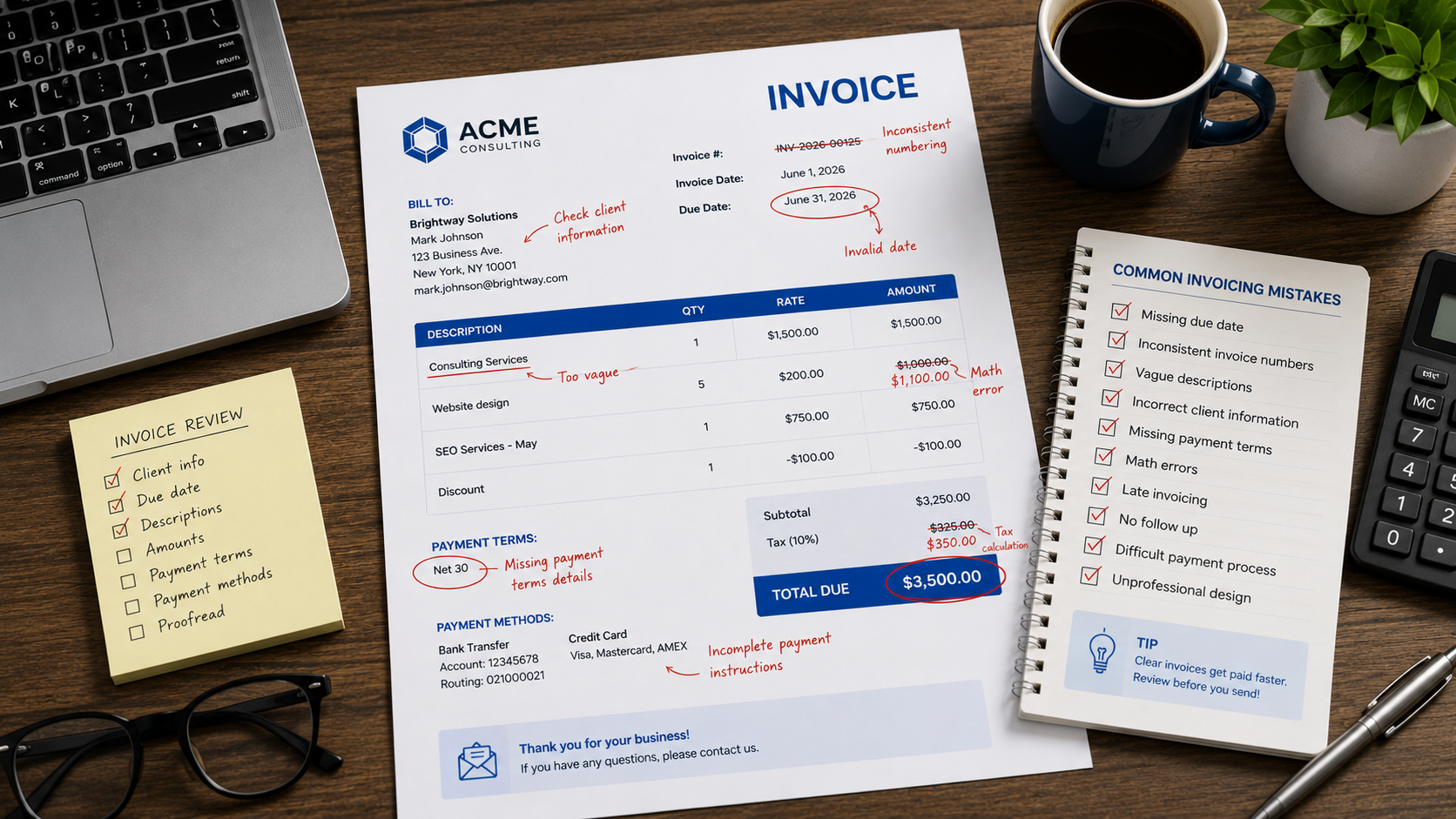
10 Common Invoicing Mistakes That Cost Businesses Money
Invoices are one of the most important documents in any business. They help you get paid, maintain accurate records, and create a professional impression with clients.
To improve your invoicing workflow, an free invoice generator makes it easy to generate professional documents.
Unfortunately, small invoicing mistakes can lead to delayed payments, accounting problems, and lost revenue.
Here are ten common invoicing mistakes and how to avoid them.
1. Forgetting to Include a Due Date
One of the most common mistakes is sending invoices without a clear payment deadline.
Without a due date, clients may not know when payment is expected.
Always include:
- Invoice date
- Due date
- Payment terms
2. Using Inconsistent Invoice Numbers
Invoice numbers help you track payments and maintain organized records.
Avoid:
- Duplicate invoice numbers
- Random numbering systems
- Missing invoice numbers
Use a consistent format such as:
INV-2026-001
3. Sending Invoices Late
Many businesses complete work but wait days or weeks before invoicing.
This delays payment unnecessarily.
The best practice is to invoice immediately after work is completed or according to agreed project milestones.
4. Providing Vague Service Descriptions
Clients should clearly understand what they are paying for.
Avoid:
"Consulting Services"
Instead use:
"SEO Consulting Services – June 2026"
Detailed descriptions reduce disputes and questions.
5. Incorrect Client Information
Misspelled names, incorrect email addresses, or outdated company information can delay payment processing.
Always verify client details before sending invoices.
6. Missing Payment Terms
Every invoice should specify payment expectations.
Examples:
- Due on Receipt
- Net 15
- Net 30
Clear payment terms reduce confusion.
7. Mathematical Errors
Incorrect totals can damage credibility and delay payment approval.
Always double-check:
- Quantities
- Rates
- Taxes
- Discounts
- Final totals
Invoice generators help eliminate these mistakes.
8. Not Following Up on Overdue Invoices
Many businesses hesitate to send payment reminders.
In reality, professional follow-ups are a normal part of business.
Prompt reminders often resolve overdue invoices quickly.
9. Making Payment Difficult
The harder it is for clients to pay, the longer payment may take.
Clearly display:
- Payment methods
- Bank details
- Payment instructions
Make the process as simple as possible.
10. Using Unprofessional Invoice Designs
An invoice represents your business.
Poor formatting, inconsistent branding, or cluttered layouts can reduce trust.
Professional invoice templates improve readability and create a better client experience.
How to Avoid Most Invoicing Mistakes
A simple process can prevent most problems:
- Use consistent invoice numbering
- Send invoices promptly
- Include payment terms
- Display due dates clearly
- Follow up on overdue payments
- Use professional invoice templates
Automation and invoice generators can reduce manual errors significantly.
Final Thoughts
Most invoicing mistakes are easy to prevent once you know what to look for. By improving your invoicing process, you can reduce delays, improve cash flow, and present a more professional image to clients.
Need professional invoices without the hassle? Create invoices in minutes using MyQuoteGenerator's free invoice generator.
Create professional invoices in seconds
Free invoice generator — no sign-up required
Create Free Invoice →